

Choosing the right laptop in 2026 can make a big difference in your studies, career, and everyday productivity. Whether you are a university student, office professional, freelancer, programmer, or content creator, you need a laptop that matches your daily workload.
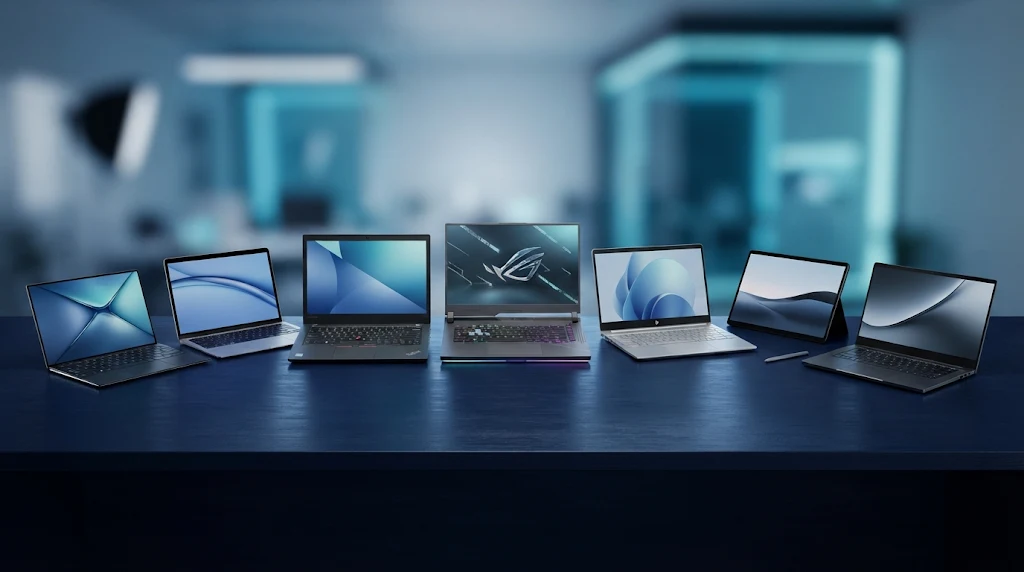
With so many brands, processors, display options, and configurations available, finding the right device can feel overwhelming. Some laptops focus on portability and battery life, while others offer powerful performance for demanding applications.
In this guide, we explore seven laptop options worth considering in 2026, explain who each one is suitable for, and share the most important features to check before buying.
Note: Laptop configurations, prices, and availability can vary by country. Always check the exact specifications and local warranty before purchasing.
1. Apple MacBook Air 13-inch (M5) – Best Overall Laptop
The Apple MacBook Air 13-inch with the M5 chip is an excellent choice for students and professionals who want a combination of performance, portability, and battery efficiency.
Its lightweight design makes it easy to carry between classrooms, offices, and coffee shops. The powerful Apple Silicon processor can handle everyday productivity tasks, multitasking, web development, and many creative applications.
The high-resolution display also provides a comfortable experience for reading, watching videos, and editing photos.
Key Features:
- Apple M5 processor
- 13.6-inch Liquid Retina display
- Lightweight and portable design
- Long battery life
- macOS operating system
- Fast SSD storage
Best For: University students, freelancers, office professionals, and everyday content creators.
2. Apple MacBook Neo – Best Budget MacBook Option
The MacBook Neo is worth considering if you want to enter the Apple ecosystem without purchasing a more expensive MacBook Air or MacBook Pro.
It is designed for everyday computing, including browsing, document editing, online classes, video calls, and basic creative tasks.
Its compact design makes it suitable for students who regularly carry their laptops. However, its base memory configuration may not be ideal for demanding professional applications or heavy multitasking.
Key Features:
- Apple A18 Pro chip
- Compact laptop design
- macOS experience
- 13-inch-class display
- SSD storage options
- Suitable for everyday productivity
Best For: Students, beginners, and users who primarily need a laptop for everyday tasks.
3. Acer Swift Air 14 – Best Lightweight Windows Laptop
If portability is your priority, the Acer Swift Air 14 is an interesting Windows laptop to consider in 2026.
Its lightweight construction makes it convenient for people who travel frequently or work from different locations. It is designed to balance everyday performance with mobility and battery efficiency.
Students can use it for research, assignments, presentations, and online learning. Professionals can also benefit from its portable design when working remotely.
Key Features:
- 14-inch display
- Lightweight construction
- Windows operating system
- Modern processor options
- Portable design
- Productivity-focused performance
Best For: Students, remote workers, business travelers, and professionals who value portability.
4. Dell XPS 14 (2026) – Best Premium Windows Laptop
The Dell XPS 14 is a premium Windows laptop designed for users who want a stylish device with strong performance.
Its modern design, high-quality display options, and powerful processor configurations make it suitable for professional work. It can handle multitasking, business applications, programming, and everyday creative workloads.
The laptop is also a good choice for users who prefer Windows over macOS but still want a premium experience.
Key Features:
- 14-inch display options
- Modern Intel Core Ultra processor options
- Premium build quality
- High-resolution OLED display option
- Fast SSD storage
- Windows 11
Best For: Business professionals, programmers, consultants, and premium laptop users.
5. Lenovo IdeaPad Slim 3x – Best Value Laptop for Everyday Work
The Lenovo IdeaPad Slim 3x is a practical option for buyers looking for a balance between price and everyday performance.
Not everyone needs an expensive premium laptop. Many students and professionals simply need a reliable device for browsing, writing, spreadsheets, online meetings, presentations, and multitasking.
A value-focused laptop like this can be a sensible choice when configured with enough RAM and storage for your needs.
Key Features:
- Slim and portable design
- Snapdragon processor platform
- Windows operating system
- SSD storage
- Suitable for everyday productivity
- Budget-conscious positioning
Best For: Students, office workers, beginners, and users with general computing needs.
6. Lenovo Chromebook Plus 14 – Best for Online Learning and Cloud-Based Work
A Chromebook can be an excellent choice if most of your work happens online.
The Lenovo Chromebook Plus 14 is designed around ChromeOS and cloud-based productivity. It is suitable for browsing, Google Docs, online classes, email, research, and web-based applications.
Chromebooks are generally easier to maintain than traditional Windows laptops, but they are not ideal for every type of software. Before purchasing, check whether your university or workplace applications are compatible with ChromeOS.
Key Features:
- ChromeOS operating system
- 14-inch-class display
- Chromebook Plus platform
- Cloud-based productivity
- Google ecosystem integration
- Portable design
Best For: Students, online learners, and people who mainly use browser-based applications.
7. HP OMEN 16 Slim – Best for Gaming and Demanding Workloads
Some students and professionals need more than a basic productivity laptop. If you work with demanding applications, edit videos, create 3D projects, or enjoy gaming, a performance-focused laptop may be a better choice.
The HP OMEN 16 Slim is designed for users who need stronger graphics performance than a typical ultrabook can provide.
Depending on the configuration, it can offer dedicated graphics, powerful processors, and a high-refresh-rate display.
Keep in mind that gaming laptops are generally heavier and may have shorter battery life under demanding workloads.
Key Features:
- 16-inch display
- Dedicated graphics options
- High-performance processor configurations
- Gaming-focused cooling system
- High-refresh-rate display options
- Performance-oriented design
Best For: Gamers, video editors, 3D designers, and users with demanding software requirements.
How to Choose the Best Laptop in 2026
Before buying a laptop, consider these important factors.
1. Processor
The processor determines how efficiently your laptop handles applications and multitasking.
For everyday work, modern Intel Core, AMD Ryzen, Apple Silicon, and Qualcomm Snapdragon processors can all be suitable, depending on the model.
Choose a processor based on your workload rather than simply selecting the newest or most expensive option.
2. RAM
RAM is important when running multiple applications simultaneously.
Here is a simple guideline:
- 8GB RAM: Basic browsing, documents, and light tasks.
- 16GB RAM: Recommended for most students and professionals.
- 32GB RAM: Useful for advanced development, video editing, and demanding multitasking.
For a laptop you plan to use for several years, 16GB is a sensible starting point.
3. Storage
An SSD provides faster boot times and application loading compared with traditional hard drives.
Consider these storage capacities:
- 256GB SSD: Basic users with limited storage needs.
- 512GB SSD: Suitable for most students and professionals.
- 1TB SSD: Better for large projects, media files, and professional workloads.
4. Battery Life
Battery life matters if you frequently work outside your home or office.
Look for independent battery tests rather than relying only on the manufacturer’s advertised figures. Real-world battery life depends on screen brightness, applications, connectivity, and workload.
5. Display Quality
A good display can make long working sessions more comfortable.
Consider:
- Full HD resolution or higher
- Good brightness
- Accurate colors
- Comfortable viewing angles
- Anti-glare coating, if needed
Creative professionals should pay particular attention to color accuracy and display quality.
6. Keyboard and Build Quality
If you type frequently, a comfortable keyboard is essential. Also check the laptop’s hinge, trackpad, chassis quality, webcam, and port selection.
A laptop should not only perform well but also feel comfortable during everyday use.
Which Laptop Should You Choose?
The best choice depends on your specific needs.
| User Type | Recommended Option |
|---|---|
| General students | MacBook Air M5 |
| Budget MacBook buyers | MacBook Neo |
| Frequent travelers | Acer Swift Air 14 |
| Business professionals | Dell XPS 14 |
| Budget-conscious users | Lenovo IdeaPad Slim 3x |
| Online learners | Lenovo Chromebook Plus 14 |
| Gamers and video editors | HP OMEN 16 Slim |
Common Laptop Buying Mistakes to Avoid
Before making your final decision, avoid these common mistakes:
- Buying a laptop based only on its processor name.
- Choosing insufficient RAM for your workload.
- Ignoring battery life and portability.
- Purchasing a gaming laptop when you only need basic productivity.
- Forgetting to check software compatibility.
- Ignoring warranty and after-sales service.
- Buying without checking independent reviews.
A little research can help you avoid spending money on features you do not need.
Final Thoughts
Finding the best laptop in 2026 is not about purchasing the most expensive device. It is about choosing a laptop that fits your budget, daily workload, and future goals.
Students may benefit more from lightweight laptops with good battery life, while professionals may need better performance, larger displays, and additional connectivity. Creative users and gamers should prioritize graphics performance and cooling.
Take time to compare specifications, check local prices, and read reliable reviews before making your decision. The right laptop can become a valuable tool for learning, working, and achieving your goals.
Frequently Asked Questions (FAQs)
1. Which laptop is best for students in 2026?
The best choice depends on your budget and study requirements. A lightweight laptop with at least 16GB RAM, SSD storage, and good battery life is a strong option for most students.
2. Is 8GB RAM enough for a laptop in 2026?
8GB RAM can handle basic tasks such as browsing and document editing. However, 16GB RAM is a better choice for multitasking and long-term usability.
3. Is a MacBook better than a Windows laptop?
Neither is universally better. MacBooks offer strong battery efficiency and integration with Apple’s ecosystem, while Windows laptops provide more hardware choices and broader compatibility with certain applications.
4. Which laptop is best for programming?
A laptop with a modern processor, 16GB RAM or more, and SSD storage is a good starting point. Developers working with virtual machines, containers, or large projects may benefit from 32GB RAM.
5. Should I buy a gaming laptop for professional work?
A gaming laptop can handle demanding applications, but it may be heavier and have shorter battery life. If you do not need dedicated graphics, a lightweight productivity laptop may be a better choice.
6. How much storage should a student laptop have?
A 512GB SSD is a practical starting point for most students. If you work with large video files, design projects, or software development environments, consider 1TB or external storage.
7. What should I check before buying a laptop?
Check the processor, RAM, SSD capacity, display, battery life, keyboard, ports, warranty, and compatibility with the software you need.